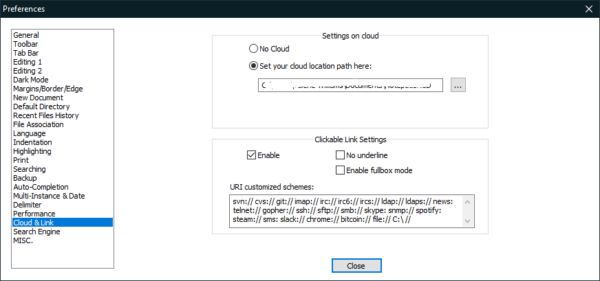
Notepad++ is my main text editor. I use it for CSS, notes on projects – all kinds of things really. It’s pretty great but I had to use BabelPad to convert some UNICODE text I received from a client. I made external links clickable in Notepad++ but I noticed it wouldn’t open directory or file paths. I found a few solutions but the post was old and what was described didn’t work. Here’s what worked.
Go to Settings › Preferences › Cloud & Link. Under Clickable Link Settings, check box to enable. In the URI Schemes Box, add: file:// C:\ //